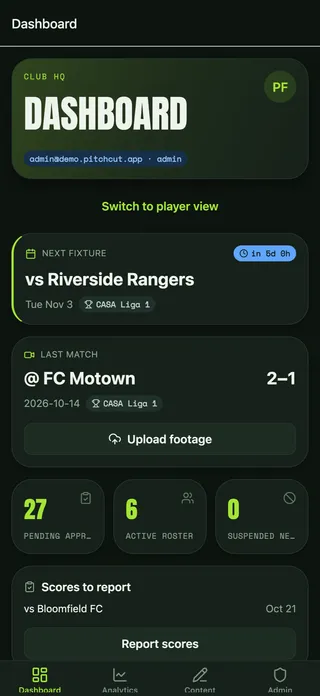
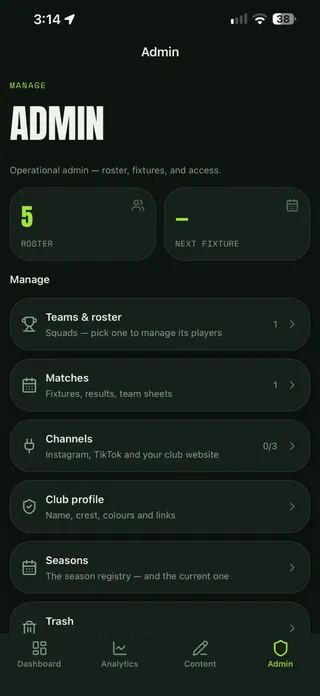
Pitchcut is one app for the whole club. Each person signs in and sees what their role needs. The order below is deliberate: the players come first, because the footage is theirs.
Players and families
A player, or a parent signing in for a younger player, sees the matches their team has played, watches the finished match video back, finds their own highlights and cuts clips of their own team’s matches. They see their season stat line and the team and club leaderboards, and the schedule, where they can say whether they can make it to a fixture. The choices about where a player appears are theirs to make, or a parent’s or guardian’s for a young player, and sit under Profile, then Privacy. The rules behind them are on the privacy policy’s Consent and Children’s data sections.
A family does not start from a blank page. If the club has already added a player and an email address for them, the family is sent a one-time code to that address and links the player to their own account; nobody has to register the player twice, and nobody gets in by knowing a child’s name. Where the club allows it, families who are not on the roster yet can register a player themselves.
Coaches and staff
After the match, staff fill in the squad sheet, cut the clips worth keeping, and read the drafted posts waiting for review. The season table shows apps, goals, assists and cards for every player, filtered by team.
Club admins
Admins do everything staff do and run the parts that give people access: inviting staff by email, inviting rostered families, setting the club’s name, crest and colours, and managing teams, seasons, fixtures, results, sponsors and discipline. The roster can be imported from a spreadsheet, and fixtures can be imported the same way, so a season of matches does not have to be typed in one at a time. Admins also export the club’s data and arrange any deletion, which the FAQ explains.
What a club needs to start
- A club admin who will run the roster and invite the others.
- A roster, in a spreadsheet or added one by one, ideally with an email address for each player’s family so they can be invited.
- Someone to film, and the cameras for it. The FAQ covers the kit.
- A person to approve posts, because nothing is sent without one.
To bring a club onto Pitchcut, contact us through the support page. How the club’s footage is kept apart from every other club’s is on about.